
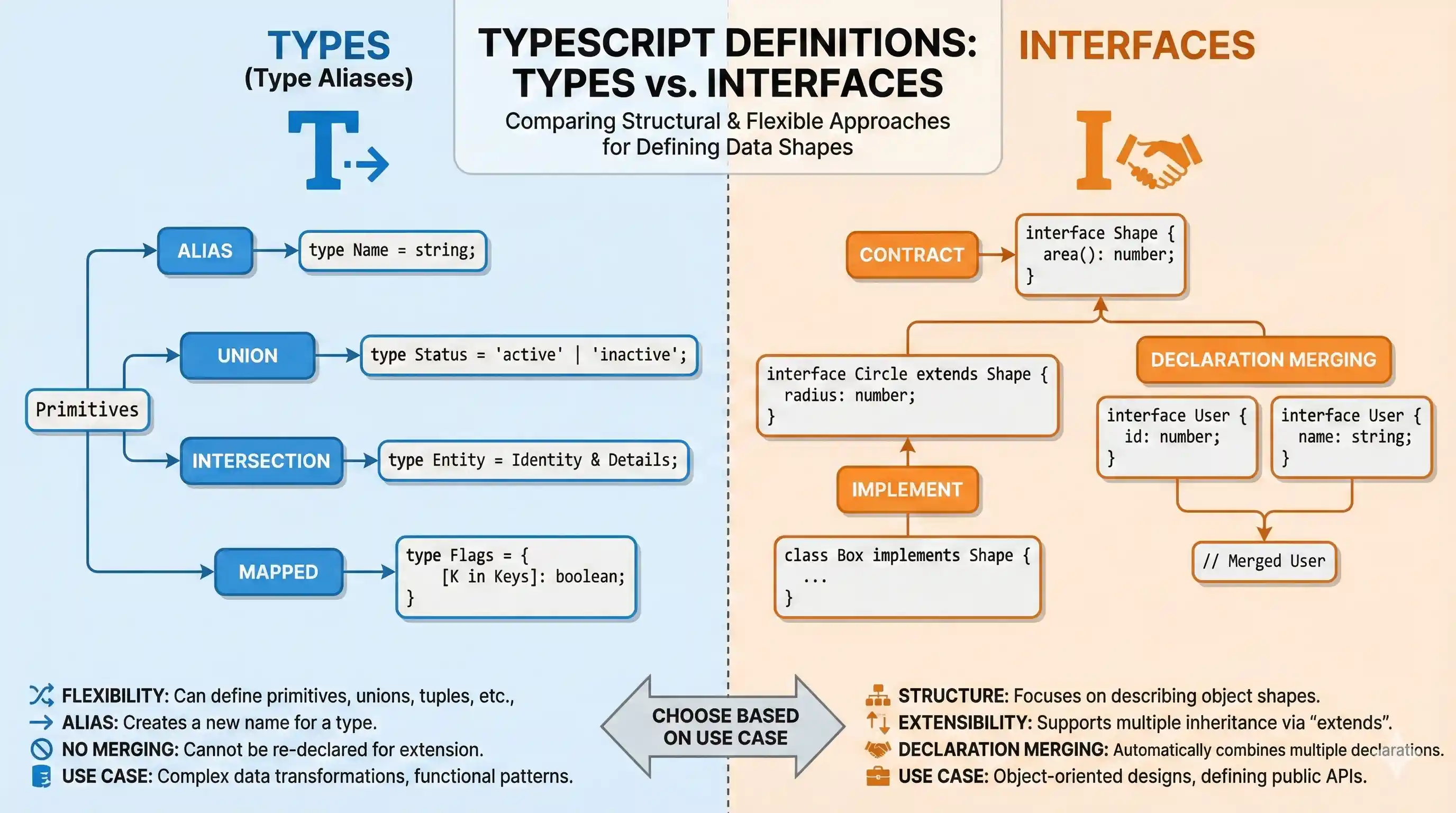
We have two options for defining types in TypeScript: types and interfaces. One of the most frequently asked questions about TypeScript is whether we should use interfaces or types.
The answer to this question, like many programming questions, is that it depends. In some cases, one has a clear advantage over the other, but in many cases, they are interchangeable.
In this article, I will discuss the key differences and similarities between types and interfaces and explore when it is appropriate to use each one.
The Basics: Defining Shapes
Both type (Type Aliases) and interface can be used to describe the shape of an object.
Interfaces
Interfaces in TypeScript are used strictly to define the shape of objects. They are particularly good for defining object schemas, classes, and ensuring that specific structures are adhered to.
interface User {
  name: string;
  age: number;
  isAdmin: boolean;
}

const user: User = {
  name: "Alice",
  age: 28,
  isAdmin: false
};
Types (Type Aliases)
Type aliases can do almost everything interfaces can do, but they are also capable of defining primitive types, union types, intersection types, and tuples.
type UserType = {
  name: string;
  age: number;
  isAdmin: boolean;
};

const anotherUser: UserType = {
  name: "Bob",
  age: 32,
  isAdmin: true
};
Key Differences
While they seem identical in the examples above, their internal behavior and advanced capabilities differ.
1. Primitives, Unions, and Tuples
This is one of the distinct advantages of Types. If you need to define a primitive type, a union, or a tuple, you must use a type. Interfaces can only represent object shapes.
// Primitives
type Name = string;

// Unions
type Status = "pending" | "approved" | "rejected";

// Tuples
type Point = [number, number];
You simply cannot do this with an interface.
2. Declaration Merging
Interfaces have a unique feature called "declaration merging". If you declare multiple interfaces with the same name in the same file or scope, TypeScript will merge them into a single interface.
This is incredibly useful when extending third-party libraries (like extending the Window or Express.Request objects).
interface Car {
  brand: string;
}

interface Car {
  speed: number;
}

// TypeScript merges them, so `Car` now requires both properties:
const myCar: Car = {
  brand: "Toyota",
  speed: 120
};
If you try this with a type alias, TypeScript will throw an error complaining about a duplicate identifier.
3. Extending vs Intersection
To combine object shapes, both offer solutions with slightly different syntax and behaviors under the hood.
Interfaces use extends:
interface Animal {
  name: string;
}

interface Dog extends Animal {
  breed: string;
}
Types use intersections (&):
type AnimalType = {
  name: string;
}

type DogType = AnimalType & {
  breed: string;
}
While both approaches work, interface extends tends to perform slightly better in the TypeScript compiler when resolving complex hierarchies. Additionally, interfaces will throw a clear error if you try to extend and override a property with a conflicting, incompatible type. Intersections, on the other hand, silently create a type of never in resolving conflicts.
4. Mapped Types
Types can use mapped types, which allow you to iterate over keys of another type to create a new type. Interfaces cannot natively use mapped types.
type Keys = "firstname" | "surname";

type DudeType = {
  [key in Keys]: string;
};

const dude: DudeType = {
  firstname: "John",
  surname: "Doe"
};
Summary: Which one should you use?
The modern TypeScript community generally leans towards a few best practices:
- Use
interfacefor object shapes: For defining object structures, props in React components, and contracts for classes, stick to interfaces. They offer cleaner error messages, potentially better compiler performance, and support declaration merging. - Use
typewhen necessary: Reach for type aliases when you need the specific features interfaces lack: primitives, union types, intersections, tuples, mapped types, or complex conditional types.
By understanding the distinct advantages of each, you can write cleaner, more idiomatic TypeScript in your projects.